BMWSoftware » History » Revision 2
« Previous |
Revision 2/7
(diff)
| Next »
Anonymous, 01/29/2025 09:04 PM
adding cable information
BMW Software
Dump of all I know
Overview
(this is taken from the Guide to ISTA document)
What does ISTA stand for? ISTA is a workshop system that contains BMW AG Data and Information. ISTA stands for Integrated Service Technical Application. Way back when, during the initial development of this tool, BMW used DIS (Diagnostics Information System), and as the programs evolved and due to the nature
of the file naming conventions utilized by BMW, the workshop system became known as Rheingold in the enthusiast world. Rheingold in actuality is the folder that contains the main application and data. Rheingold became ISTA-D (D stands for Diagnostics) and BMW’s programming application (not discussed in
this document) used the same nomenclature, ISTA except with a P (for programming) or ISTA-P. This document only discusses ISTA+.
Eventually, based on the direction that the company is taking, ISTA-D and ISTA-P for F-/I-/G-/Mini/RR series cars will be rolled up into ISTA+ for diagnostics AND programming. What does this mean? It means, that ISTA-P will contain all chassis data until around August 2017, then BMW plans to phase out all BN2020 vehicle
data in ISTA-P. So, ISTA-P will be used for Programming on E-series only and ISTA+ will be everything else. Programming (or also called Service Data) in ISTA+ is required for programming F-/I-/G-/Mini/RR cars. BMW now provides these files as deltas to original programming (SDP) data.
ISTA+ can be used to diagnose ALL cars BUT program only F-/I-/G-/Mini/RR series cars and beyond. E Series Programming is not supported in ISTA+.
BMW officially breaks up the new ISTA+ application capability into two parts – Diagnostics and Programming. Following is a short breakup of each feature within ISTA+:
- DIAGNOSTICS:
- Vehicle identification for specific vehicle management
- Information research for repair and maintenance
- Guided troubleshooting
- Software repair
- PROGRAMMING:
- Software Update
- Control Unit Replacements
- Retrofits / conversions
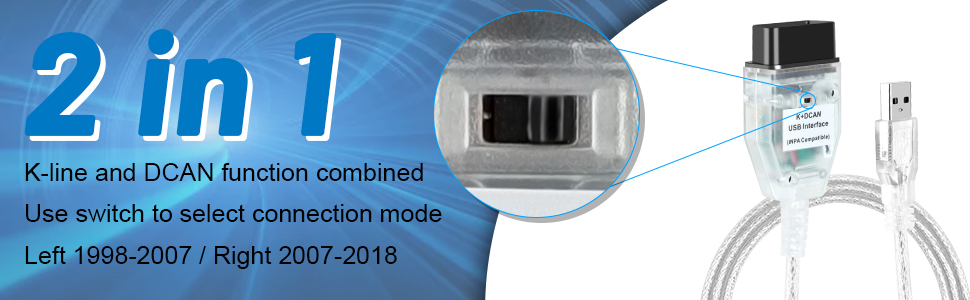
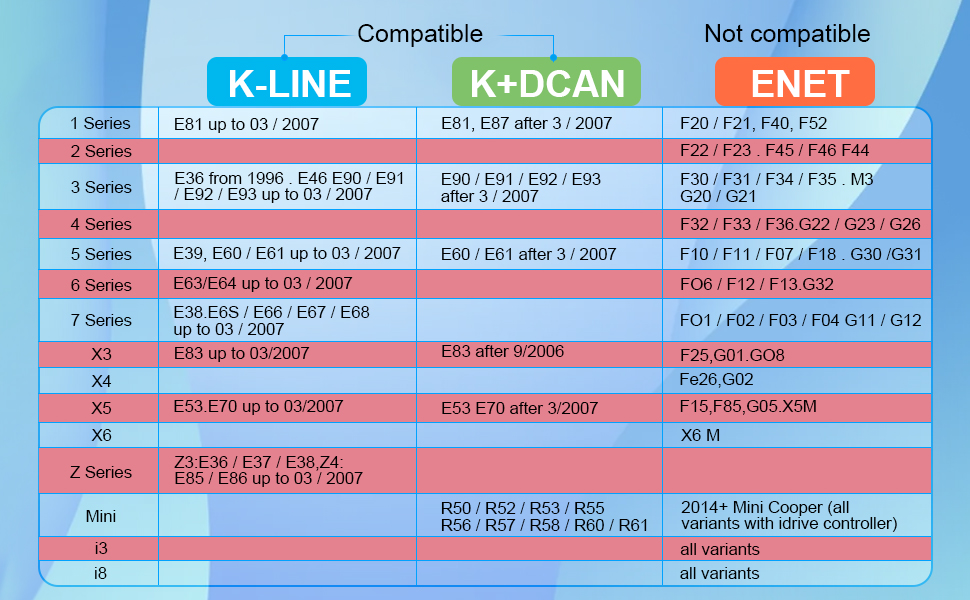
K/DCAN Cable
ISTA+ 4.49.20/23
- Downloaded from here
Setup
- Install using installer
- Fix missing EDIABAS connection option as described here: https://cartechnology.co.uk/showthread.php?tid=95073
- Edit
C:\EC-APPS\ISTA\TesterGUI\bin\Release\ISTAGUI.exe.configand add this to<appSettings>:
- Edit
- Add missing
ODB.inifile toC:\EC-APPS\ISTA\Ediabas\BIN(see attachments to this page)- Be sure K/DCAN cable is configured as COM1
- See Guide to ISTA document (attached to this page) for instructions on how to connect with K/DCAN cable using EDIABAS
Updated by over 1 year ago · 7 revisions