Router » History » Revision 15
« Previous |
Revision 15/22
(diff)
| Next »
Anonymous, 11/23/2023 01:37 PM
Router and Network Setup
I started my foray into custom networking using DD-WRT running on a Linksys WRT3200ACM. This worked well for a while but I noticed performance issues as my network grew. In October 2019 I decided to go all in and setup a pfsense router. And then in 2021 I switch to an OPNsense based router.
Router
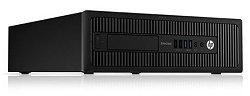
- HP EliteDesk 800 G2 SFF Desktop PC
- Intel Core i5-6600T (quad core @ 3.3 GHz; upgraded from i5-6500)
- 8GB RAM
- 128GB SSD HDD
- Intel quad port 1G NIC
- Mellanox MCX354A-FCCT (40GigE)
- Running OPNsense : 23.7.9 (based on FreeBSD 13.2)
| Interface | MAC | Reserved IP | Notes |
| WAN (em4) | dc:4a:3e:81:f5:49 | 10.0.0.188 | attached to DMZ on FIOS router |
| CopperLAN (mlxen0) | e4:1d:2d:dc:9b:b1 | 192.168.1.1 (static) | top port of Mellanox NIC |
| FiberLAN (mlxen1) | e4:1d:2d:dc:9b:b2 | 10.250.1.1 (static) | bottom port of Mellanox NIC |
- em0 (top port) - em3 are the Intel 1G quad port interfaces
- em4 is the built in motherboard NIC
Main Switch
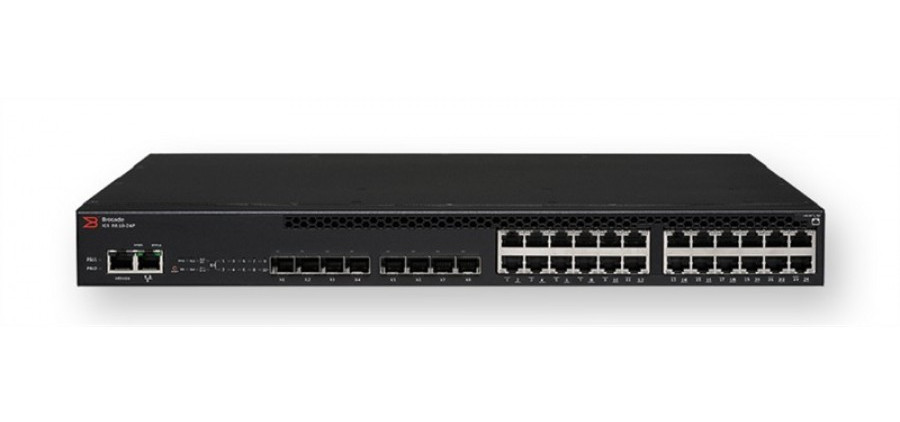
- 24 port 1000-BaseT POE ports
- 8 SFP+ (10G) ports
- 2 QSFP (40G) ports
- 2 QSFP (4x10G breakout) ports
Configuration
The network is subdivided into CopperLAN which is 1G copper and FiberLAN which is 10G fiber:
- CopperLAN
- 192.168.1.1/16
- Switch ports: 1/1/1-1/1/24; 1/2/1 (40G router uplink)
- VLAN 10
- FiberLAN
- 10.250.1.1/24
- Switch ports: 1/3/1 - 1/3/8; 1/2/6 (40G router uplink)
- VLAN 20
Port Connection Table
CopperLAN
| Port | Device / Branch |
| 1 | living room - top port - AP (POE enabled) |
| 2 | downstairs bedroom and rec room |
| 3 | upstairs front bedroom - office |
| 4 | upstairs middle bedroom - work office |
| 5 | living room - middle port |
| 6 | phalanx |
| 7 | red-dragon |
| 8 | red-dragon IPMI |
| 9 | unused |
| 10 | unused |
| 11 | unused |
| 12 | unused |
| 13 | unused |
| 14 | unused |
| 15 | unused |
| 16 | unused |
| 17 | unused |
| 18 | unused |
| 18 | unused |
| 20 | unused |
| 21 | unused |
| 22 | unused |
| 23 | unused |
| 24 | ICX-6610 console interface |
FiberLAN
| Port | Device / Branch |
| 1 | office (to !MikroTik Switch) |
| 2 | phalanx 10G |
| 3 | red-dragon 10G |
| 4 | _unused |
| 4 | _unused |
| 4 | _unused |
| 4 | _unused |
10G Supplemental Switch
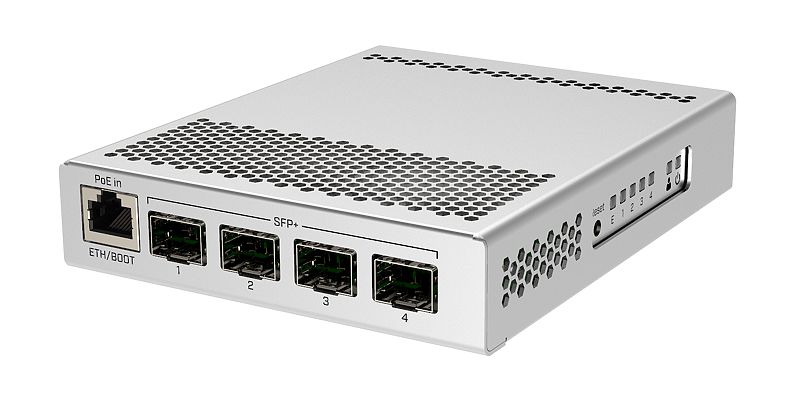
NOTE: Switch has two operating system options. SWOS is much simpler and therefore preferred for this application. Note that holding the reset button while powering only resets the RouterOS configuration not the SWOS configuration. To reset SWOS boot into RouterOS and navigate to the terminal, then enter this command:
Also to set the boot OS: System > Routerboard > Settings > Boot OS
Reset Instructions
- Disconnect all network ports. Disconnect power, using tip of mechanical pencil press reset button and hold. Reconnect power. When green light flashes several times release the reset button.
- Switch will reboot into RouterOS.
- To connect connect to MGMT (1G) port to laptop. Set static address on laptop to 192.168.88.2/255.255.255.0 with gateway 192.168.88.1. Open web browser and navigate to 192.168.88.1.
- Enter basic details, including DHCP setup.
- Click Terminal button in upper right corner.
- Enter this command to reset SwOS:
- Enter this command to reset SwOS:
- Next navigate back to Webconfig to change boot configuration: System > Routerboard > Settings > Boot OS and set SwOS.
- Finally click the Reboot option on the side menu.
- Disconnect from laptop and connect MGMT port back to regular network. After reboot switch should be accessible at DHCP reservation address: 192.168.100.2.
- Default credentials are: admin/<no password>
Configuration
To use 1G port as management port go to RSTP tab and uncheck the checkbox next to MGMT. In Port Isolation tab, isolate MGMT from other ports.
Wireless AP
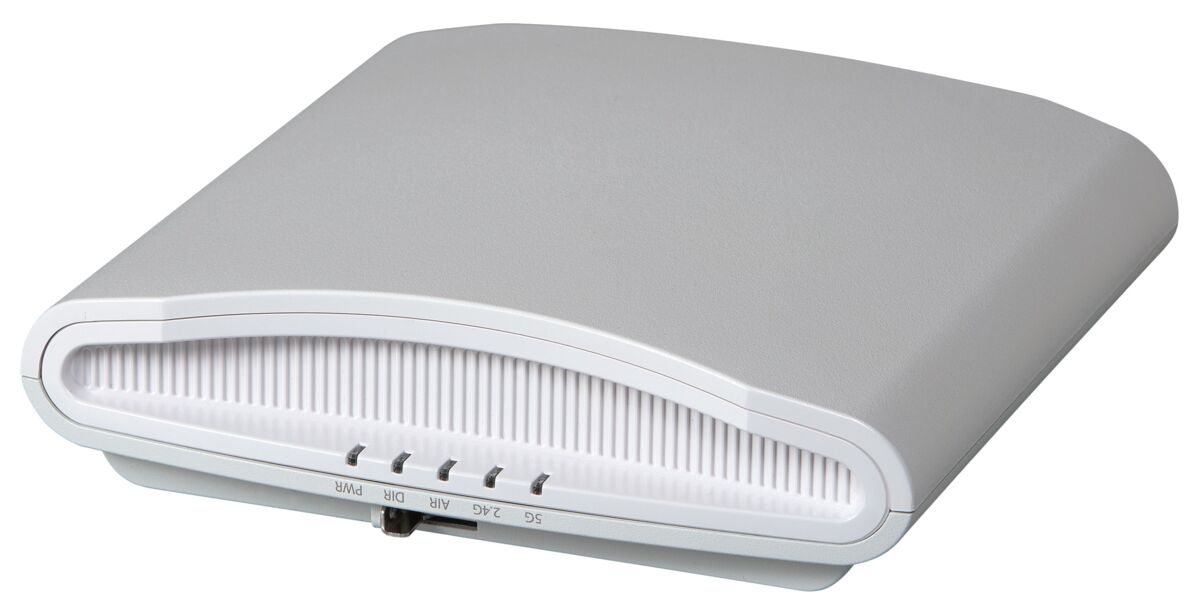
Wiresless Networks
- 57752d54616e67204c414e - legacy 5 GHz - WPA2
- 4162726168616d204c696e6b737973 - legacy 2.4 GHz - WPA2
- Weyland-Yutani Corporate - 5 GHz/2.4 GHz - WPA3/WPA2
DHCP Registrations
pfsense Box- MAC: dc:4a:3e:81:f5:49
- IP: 10.0.188 (reserved)
Switch
| Device | MAC | Reserved IP | Hostname | Notes |
| Aruba S3500-24P | 00:1a:1e:16:1a:c0 | 192.168.100.0 (static) | aruba-s3500 | main network switch; POE disabled |
| Ruckus R710 | 58:b6:33:3b:17:e0 | 192.168.100.1 | r710 | primary WiFi AP (see note above) |
| MikroTik CRS305-1g-4s | cc:2d:e0:91:42:6e | 192.168.100.2 | mikrotik-switch-001 | 10G network switch; 1G for management |
| TP-Link Archer C2600 | 18:a6:f7:5f:2b:06 | 192.168.100.3 | archerc2600 | secondary WiFi AP |
Wireless Clients
| Device | MAC | Reserved IP | Hostname |
| Dell XPS 13 (wifi) | 28:b2:bd:39:07:92 | 192.168.4.2 | xps |
| phone | b4:f7:a1:8f:98:8d | 192.168.4.3 | g6-plus |
| workstation (wifi) | 10:f0:05:35:01:fb | 192.168.4.4 | enthoo-wifi |
| tablet | 84:55:a5:f7:3a:ec | 192.168.4.5 | galaxy-tab-s |
| MPD box | a0:88:69:8c:33:ef | 192.168.4.7 | CI320-wifi |
| Raspberry Pi 3b+ | b8:27:eb:ef:eb:a1 | 192.168.4.9 | rpi001 |
| Raspberry Pi Zero W | b8:27:eb:d9:78:8a | 192.168.4.10 | rpi-zw-001 |
| !ThinkPad T470 | f8:59:71:4e:ab:f6 | 192.168.4.12 | t470 |
| Raspberry Pi 3b+ | b8:27:eb:59:18:d2 | 192.168.4.14 | rpi002 |
| Raspberry Pi 4b | dc:a6:32:19:16:70 | 192.168.4.16 | rpi003 |
| new tablet | 70:1f:3c:cd:30:63 | 192.168.4.17 | galaxy-tab-a |
| Lenovo Carbon X1 | 74:d8:3e:b6:be:26 | 192.168.4.18 | carbon |
Wired Clients
| Device | MAC | Reserved IP | Hostname |
| Dell XPS 13 laptop | a0:ce:c8:03:a1:c9 | 192.168.8.2 | xps-eth |
| slingbox | 00:0d:c5:cf:0f:94 | 192.168.8.3 | slingbox |
| [[wiki:Workstation|workstation]] | 70:85:c2:39:83:67 | 192.168.8.4 | enthoo |
| [[wiki:CustomComputers/2012/Phalanx|file server]] | d0:50:99:51:75:a4 | 192.168.8.6 | phalanx |
| [[wiki:CI320|MPD box]] | 00:01:2e:58:d8:81 | 192.168.8.7 | CI320 |
| [[wiki:UltimateHTPC|HTPC]] | 74:d4:35:4f:4e:04 | 192.168.8.8 | atto |
| Raspberry Pi 3b+ | b8:27:eb:ba:be:f4 | 192.168.8.9 | rpi001-eth |
| [[wiki:CustomComputers/2018/Brutus|brutus]] | d0:50:99:46:c6:74 | 192.168.8.10 | brutus |
| !ThinkPad T470 | 54:e1:ad:33:0f:0a | 192.168.8.12 | t470-eth |
| file2 | d0:50:99:51:76:4c | 192.168.8.13 | file2 |
| Raspberry Pi 3b+ | b8:27:eb:0c:4d:87 | 192.168.8.14 | rpi002-eth |
| red-dwarf | 00:25:90:86:4e:e6 | 192.168.8.15 | red-dwarf |
| Raspberry Pi 4b | dc:a6:32:19:16:6f | 192.168.8.16 | rpi003-eth |
| [[wiki:CustomComputers/2020/RedOctober|red-october]] | b4:2e:99:a5:1e:f0 | 192.168.8.17 | red-october |
Printer Clients
| Device | MAC | Reserved IP | Hostname |
| HP Officejet Pro 8610 | 34:64:a9:5e:0e:62 | 192.168.10.1 | hp-pro-8610 |
Camera Clients
| Device | MAC | Reserved IP | Hostname |
| Reolink Argus Pro | 10:ce:a9:0b:e0:fe | 192.168.12.1 | cam001 |
| Reolink RLC-410-5MP | ec:71:db:65:c9:4c | 192.168.12.2 | cam002 |
House Clients
| Device | MAC | Reserved IP | Hostname |
| Ecobee Thermostat | 44:61:32:ac:17:cc | 192.168.14.1 | ecobee |
Work Clients
| Device | MAC | Reserved IP | Hostname |
| BL Machine | 70:85:c2:da:6c:3d | 192.168.20.1 | corsair |
IPMI Interfaces
| Device | MAC | Reserved IP | Hostname |
| [[wiki:CustomComputers/2012/Phalanx|phalanx]] | bc:5f:f4:fe:6b:cb | 192.168.208.1 | phalanx-ipmi |
| [[wiki:CustomComputers/2018/Brutus|brutus]] | bc:5f:f4:fe:7c:af | 192.168.208.2 | brutus-ipmi |
10G Network
The 10G network is setup as a VLAN (17) using `10.250.1.0/24` addressing. (I never could get the VLAN working).
| Device | MAC | Reserved IP | Hostname |
| [[wiki:CustomComputers/2012/Phalanx|phalanx]] | 0c:c4:7a:1f:00:ae | 10.250.1.2 | phalanx-10g |
| [[wiki:CustomComputers/2018/Brutus|brutus]] | 24:8a:07:e4:40:c1 | 10.250.1.3 | brutus-10g |
| [[wiki:Workstation|enthoo]] | 24:8a:07:e4:39:91 | 10.250.1.4 | enthoo-10g |
| file2 | 24:8a:07:e3:04:e1 | 10.250.1.5 | file2-10g |
Backup Switch
- TP-LINK TL-SG1016D - 24 port "dumb" switch
Resources
Updated by almost 3 years ago · 22 revisions